
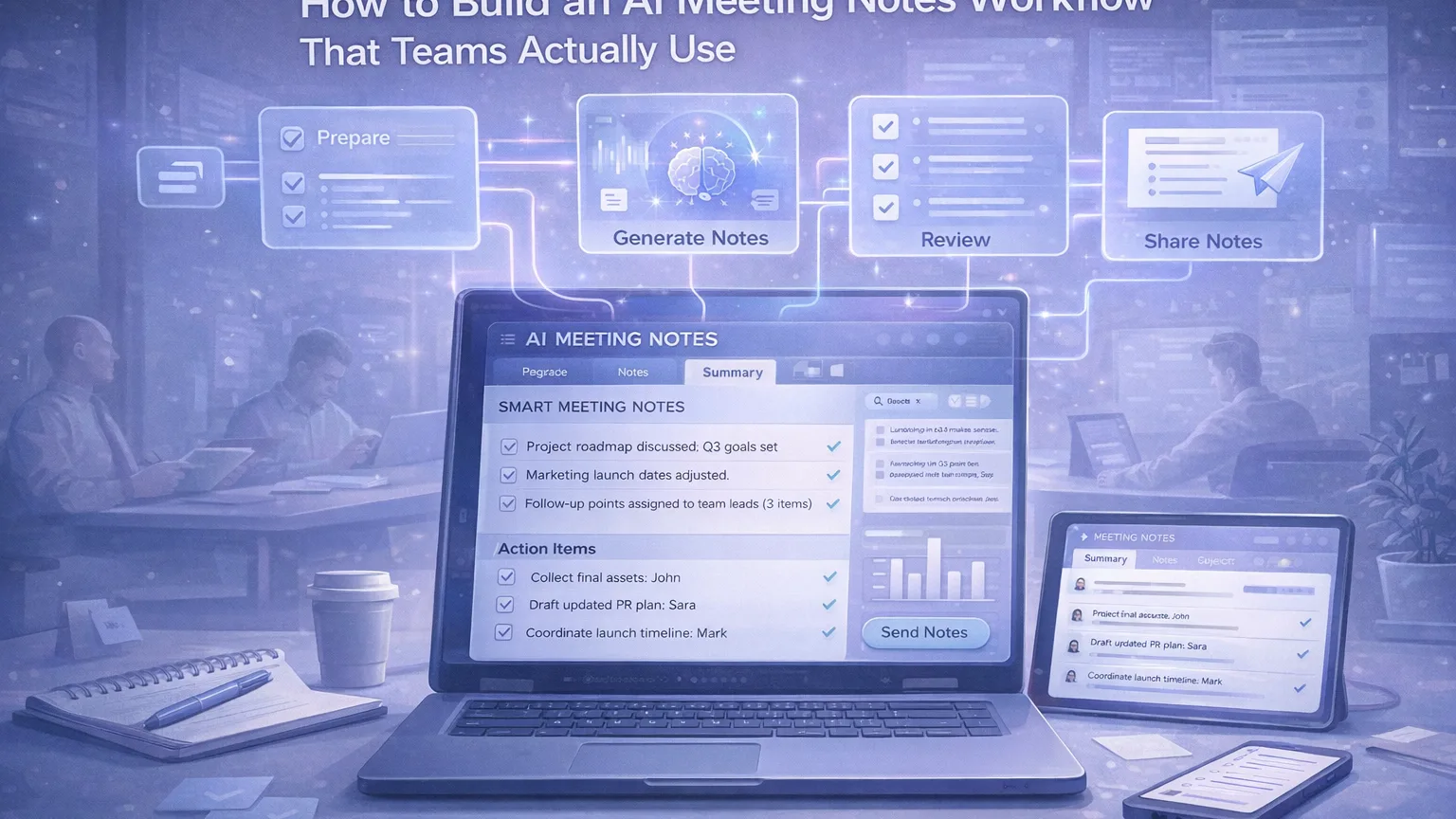
AI meeting notes sound like an obvious upgrade: record the call, generate a summary, pull out action items, and move on.
In practice, most teams still end up with one of two bad outcomes:
- a transcript nobody reads
- a summary nobody trusts
The problem is not that AI meeting tools are useless. The problem is that many teams treat them like magic instead of treating them like workflow infrastructure.
A useful meeting notes workflow does not start with the AI. It starts with a simple question:
What should happen after the meeting ends?
If the answer is unclear, the notes will be unclear too.
This guide shows how to build a lightweight AI meeting notes system that people actually use.
What a good AI meeting notes workflow should do
A meeting notes workflow should help your team do five things well:
- capture the discussion without forcing someone to type everything manually
- surface the main decisions
- extract real action items with owners and deadlines
- store notes where the team already works
- make follow-up faster after the meeting
If your workflow only produces a transcript, it is incomplete.
If your workflow produces a beautiful summary but nobody can find it later, it is incomplete.
If it captures everything but still requires thirty minutes of cleanup after every call, it is incomplete.
The goal is not “more notes.” The goal is less meeting admin and better team memory.
Why most AI meeting notes systems fail
Most teams fail in one of four ways.
1. They collect too much raw material
Full transcripts are useful, but they are not the final product for most teams. People usually need:
- a short recap
- key decisions
- action items
- open questions
When everything is stored as one huge transcript, the signal gets buried.
2. They never define the output format
If your AI tool generates a different structure every time, your team stops trusting it.
The output should be consistent. For example:
- Summary
- Decisions
- Action items
- Risks or blockers
- Follow-ups
Consistency matters more than novelty.
3. They do not verify action items
AI is very good at summarizing. It is less reliable when guessing who owns what next.
That means action items must be checked by a human before they are sent around or pushed into a task system.
4. They store notes in the wrong place
Even a strong summary becomes useless if it lives in a disconnected inbox, random bot chat, or tool nobody opens.
The best storage location is usually wherever the team already collaborates:
- Notion
- Google Docs
- Slack follow-up thread
- a shared meeting database
- a project workspace
The simplest workflow that works
Here is the baseline workflow I recommend for most teams.
Step 1: Capture the meeting
Use one system to capture the meeting consistently.
That can be:
- a meeting assistant that joins calls automatically
- built-in AI meeting notes inside your workspace
- recorded calls processed after the meeting
The exact tool matters less than the consistency.
What matters is that the team knows:
- which meetings are captured
- where the notes appear
- who checks the output
Step 2: Generate a structured summary
Do not just accept whatever default AI summary appears.
Use a fixed structure like this:
Meeting summary
A 3 to 5 sentence recap of what happened.
Decisions made
Short bullets with confirmed decisions.
Action items
Every action item should include:
- owner
- task
- deadline, if known
Open questions
Anything unresolved that still needs input.
Risks or blockers
Anything likely to delay progress.
This structure makes the notes useful after the meeting, not just during it.
Step 3: Human review
Someone should spend 2 to 5 minutes reviewing the AI output.
That person does not need to rewrite the notes from scratch. They only need to:
- remove obvious hallucinations
- fix names and project terms
- confirm action item owners
- make sure important decisions were not missed
This is the step that separates a “fun AI demo” from a real operating workflow.
Step 4: Publish notes in the right place
After review, publish the final version where the team actually looks.
Examples:
- a meeting notes database in Notion
- a project doc linked from the sprint board
- a Slack summary post with the doc attached
- an internal wiki page for recurring meetings
Avoid making people hunt for notes.
Step 5: Turn action items into work
Meeting notes should not be a dead-end document.
For recurring operational meetings, convert approved action items into:
- task cards
- assignee checklists
- follow-up tickets
- project updates
This is often the real ROI of AI meeting notes.
The value is not in “summaries.” The value is in faster execution after discussion.
A practical template teams can use
A simple reusable template looks like this:
Meeting title
Team Sync – March 12
Participants
List of attendees
Summary
A short recap of the main discussion.
Decisions
- Launch date moved to next Tuesday
- Design review stays on Thursday
Action items
- Sara — update launch checklist — Friday
- John — confirm final assets — Thursday
- Mark — revise rollout plan — Monday
Open questions
- Do we need legal review before publish?
- Is the onboarding email ready?
Blockers
- Missing final pricing copy
Links
- deck
- doc
- related tickets
If every team meeting ends with something close to this, adoption goes up fast.
Which teams benefit most from this workflow
This workflow is especially useful for:
- content teams
- product teams
- startup leadership meetings
- customer research teams
- internal operations teams
- cross-functional project meetings
It is less useful for very small, informal chats where writing notes would already take less than the setup itself.
Tool selection: what actually matters
There are many AI meeting note tools now. Some capture meetings directly, some summarize transcripts, and some do both. Official product pages from tools like Notion, Otter, and Fireflies all emphasize variations of the same value: transcription, summaries, action items, and follow-up inside the tools teams already use. citeturn899077search2turn899077search0turn899077search1
When evaluating tools, do not start with branding. Start with workflow fit.
Look for:
1. Capture reliability
Can it consistently capture your real meetings?
2. Summary quality
Does the summary reflect actual decisions, not just generic recap language?
3. Action item extraction
Can it identify next steps well enough that a reviewer only needs to clean up, not rewrite?
4. Storage and sharing
Can the notes go somewhere your team already works?
5. Searchability
Can people find old decisions later?
6. Review overhead
Does it save time, or create another layer of admin?
A workflow that saves five minutes but adds a new place to check every day is often a bad trade.
How to make teams actually use it
Adoption depends less on the AI and more on the rules around it.
Here are the rules I would set:
Use it for recurring meeting types first
Start with one category:
- weekly team sync
- product review
- project standup
- customer insight review
Do not try to automate every conversation on day one.
Standardize the format
People trust what they recognize.
Keep the same structure every time.
Assign a reviewer
Even lightweight review needs ownership.
For example:
- meeting owner checks notes
- rotating note reviewer per team
- PM or ops lead approves final action items
Keep follow-up short
After the meeting, the workflow should end with one of these:
- send recap to channel
- save summary to workspace
- push tasks into tracker
No extra ceremony.
Review after two weeks
Ask:
- Are people reading the notes?
- Are action items accurate?
- Are summaries too long?
- Is the storage location correct?
Teams usually need one small iteration before the workflow clicks.
Common mistakes to avoid
Mistake 1: Using raw transcripts as the final output
Transcripts are reference material, not the main deliverable.
Mistake 2: Treating AI summaries as final truth
Use them as a first draft, not an unquestioned record.
Mistake 3: Capturing without a distribution plan
If nobody knows where the notes go, nobody uses them.
Mistake 4: Mixing summary, decisions, and tasks together
Keep them separated. That is what makes the document scannable.
Mistake 5: Over-automating too early
Get the structure right first. Then automate more.
A good benchmark for success
Your workflow is working when:
- the meeting owner no longer writes notes manually
- summaries are short enough to scan in under a minute
- action items are clear and assigned
- team members can find old decisions later
- nobody argues about where the meeting record lives
That is a much better benchmark than “the transcript looked impressive.”
Final thoughts
AI meeting notes are useful, but only when they are part of a system.
The best version is simple:
- capture the call
- generate a structured summary
- review quickly
- publish in the right place
- turn action items into work
That is the workflow teams actually adopt.
If you build it that way, AI meeting notes stop being a novelty and start becoming operational infrastructure.